Road to Jukai Join the Steam Playtest
Request access, set expectations, and give feedback that helps a 2027 horror launch.
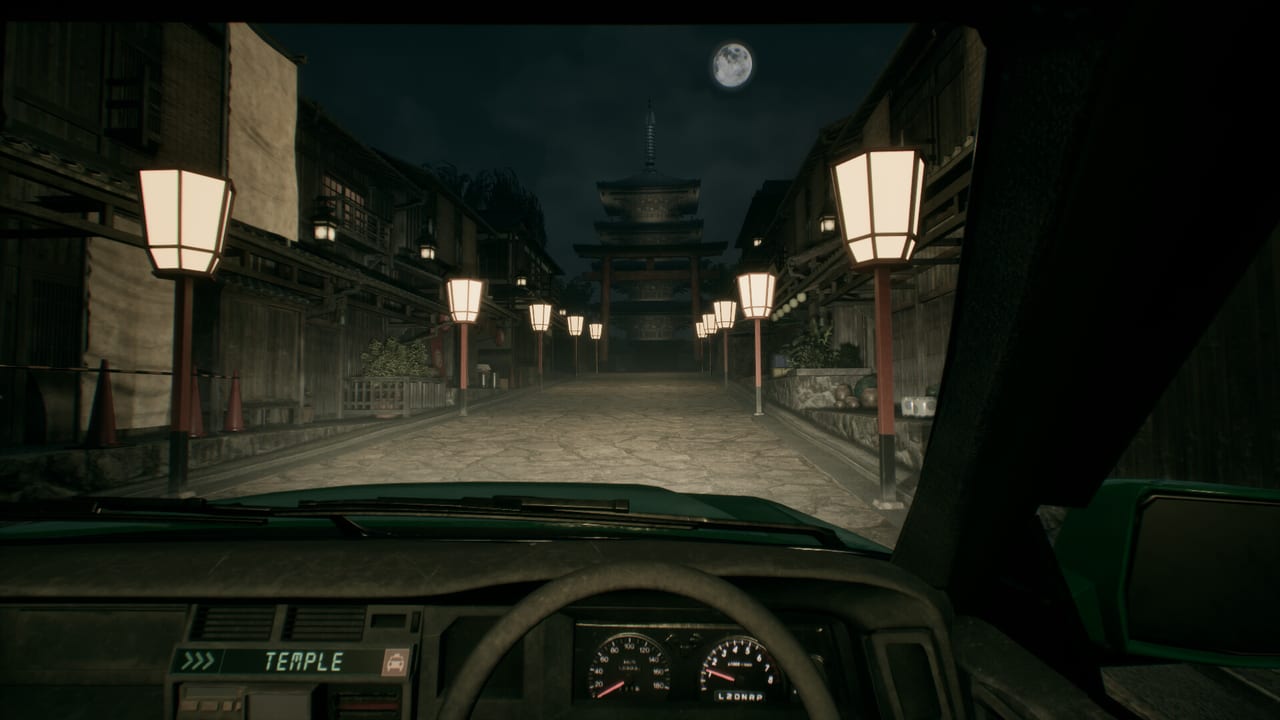
Endflame and tinyBuild are letting players request a Steam playtest for Road to Jukai while the full game remains scheduled for 2027. Playtests exist to stress builds, gather first-impression notes, and catch friction that trailers cannot show—menu clarity, driving feel, subtitle timing, performance in fog, and whether cabin tension reads as intended. The wider public push around TinyBuild Connect 2026—rename, publisher spotlight, and playtest kickoff—is summarized on TinyBuild Connect 2026. This page walks through requesting access, what a playtest usually includes and excludes, and how to report issues without spoiling other players.
Request access on Steam
- Sign into the Steam account you actually play on.
- Open the official store page: Road to Jukai on Steam.
- Look for the playtest section or request button on the page (wording can read as “Request Access” or similar).
- Submit the request and wait for Steam to show that access was granted. Approvals are not always instant; some waves are staggered.
- When accepted, install the playtest app entry from your library. It may appear as a separate playtest product under the same universe as the main wishlist page.
- Wishlist the main game anyway using the Wishlist Guide so you still get launch messaging after the playtest ends.
If you do not see a request button, the wave may be closed, region-gated, or temporarily hidden while Endflame prepares a new build. Check official posts via Official Links and the Updates Hub before assuming the playtest was cancelled forever.
What to expect from a playtest build
Treat the playtest as a slice, not the shipping campaign. You might see a limited night count, unfinished UI, placeholder audio, temporary balancing on vehicle speed, or debug-friendly lighting that will not match the final mood. Features shown in the TinyBuild Connect trailer or earlier Silent Road teasers might be present, partial, or absent. Performance targets can change between builds—especially in particle-heavy fog and night exterior scenes—so pair this page with System Requirements and keep an eye on thermals during long drives.
Story content in a playtest can still spoil tone. If you want a pristine first full release, you can skip narrative-heavy segments and focus on controls and comfort settings. If you are comfortable with early story, still avoid posting unmarked spoilers in public channels.
Session checklist before you drive
- Confirm keyboard/mouse or controller plan on Controls.
- Set brightness so silhouettes remain readable without washing out the horror grade.
- Enable subtitles if you rely on them for whispered dialogue.
- Close heavy overlays if they hitch the frame rate during camera pans.
- Keep a notepad for bugs: time of night, approximate location type (town street vs forest road), passenger situation in broad terms, and reproduction steps.
How to give feedback that developers can use
Useful reports are specific. “The game is scary” is mood affirmation; “at the second forest fork after the gas-station fare, headlights flicker and the FPS drops to the teens for about eight seconds” is actionable. Include your GPU, resolution, whether you used a controller, and whether the issue repeats after a restart. Separate bugs, comfort/accessibility asks, and design opinions so triage is easier.
When you discuss passengers, speak in archetypes unless Endflame has publicly named a character. This wiki follows the same rule on Passenger Types and Strange Requests. Public Discord feedback channels linked from Official Links are usually the right venue; do not assume Steam reviews are monitored like a bug tracker during a closed or limited test.
Playtest etiquette
Respect NDA language if Steam or the developer shows any. Even without a formal NDA, avoid uploading long unlisted story dumps that ruin first nights for others. Short mechanical clips for bug reports are different from full narrative let’s-plays of unreleased nights. If you stream, say clearly that the build is a playtest and may differ from the 2027 release.
After the playtest window
Access can expire when a wave ends. Keep the main game wishlisted, follow the store page, and watch Release Date for calendar updates. If you arrived from older Silent Road coverage, skim Silent Road Rename so you are following the correct app. Return to Getting Started if you need a refresher before launch, and use How to Play to reconnect with the intended loop once you are back in a build.
Playtests are the best legal way to feel the road before 2027. Request access on Steam, drive carefully, take notes, and send calm, detailed feedback—that is how early nights help the final shift.
Frequently Asked Questions
Quick answers for night-shift drivers preparing for Jukai.
Is the playtest free?
Steam playtests are free to request. Acceptance depends on the current wave and Endflame’s distribution settings.
Does playtest access guarantee the full game?
No. Playtest access is separate from owning the 2027 release. Wishlist the main app so you still get launch information.
Why was my request not approved immediately?
Waves are often staggered. Wait, verify you used the correct account, and watch official channels for new request windows.
Can I spoil story details from the playtest?
Avoid unmarked spoilers. Prefer bug reports and mechanical notes; warn clearly if you must mention narrative events.
Where should I learn controls before playing?
Read the Controls guide, then How to Play for the passenger-and-route loop once inputs feel comfortable.